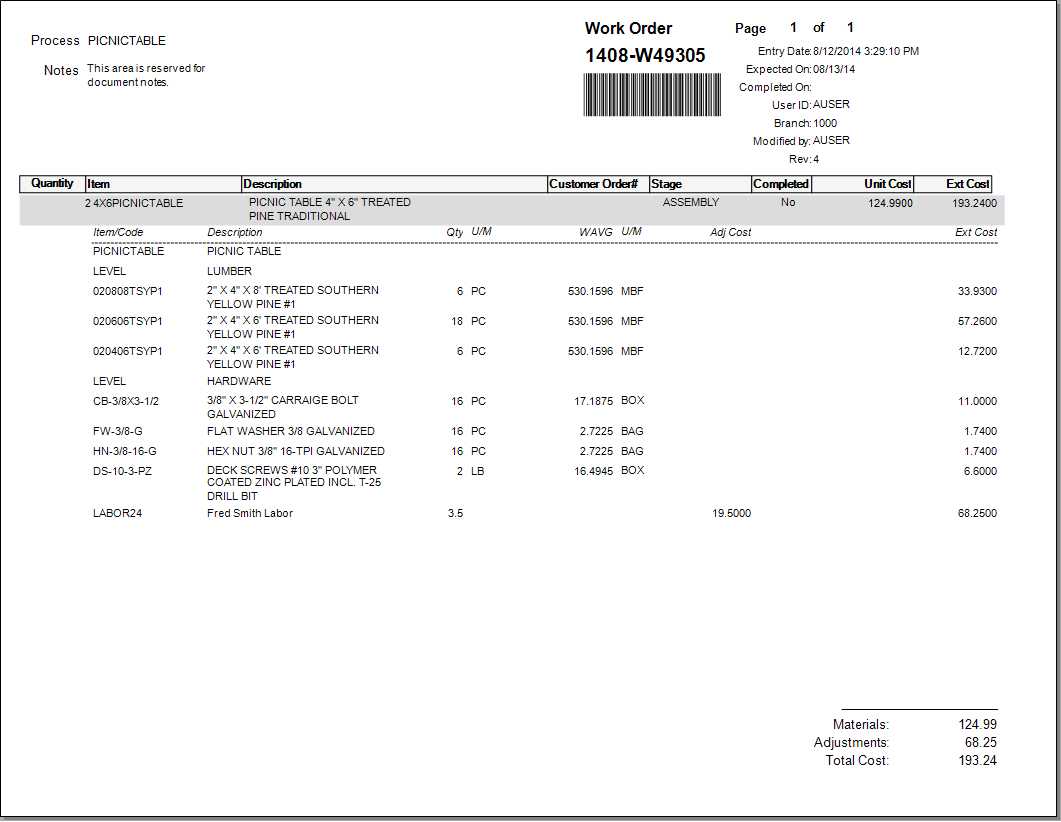
IN Work Orders
Work Order documents are the result of manufacturing processing (Main Menu, Manufacturing, Work Orders, Inventory, Manufacturing). There is a special item type for "manufacturing." Items assigned to this type can be manufactured and can be either stocked or non-stocked. Originally, manufacturing was located on the Inventory menu, rather than its own area, so the prefix assigned to manufacturing documents is still "IN."
Manufactured items (either stocked or non-stocked) can also be linked with a Material List. The Material List may be used to define the list of items "used" for manufacturing. In addition, material lists are also helpful for providing one or more lists of options and can contain prompts (material lists assigned to non-stocked manufactured items are accessible from Point of Sale, Orders). A work order document either may or may not include the material list details. This is determined by a setting on the material list ("Print Item Details on Work Orders").
Costs and totals either may or may not be included on the document based on the current user's security permissions. If the user is assigned to an Application Security code that has the "View Cost/Margins" selected, they will see cost pricing and totals; otherwise, the costs and totals are not shown. Note: This is not a separate document style and is always based on the current user's permission.