Finding What You Need in Help
The Help System is a great resource for the information you need to learn about the Spruce application. We have added tools to make it easier for you to find what you are looking for so you can get your work done quickly and efficiently. At the top of the form is a Search field, which you can use to enter information you are looking for.
When you enter one word, such as Inventory, the application looks through all the topics and displays a list of the ones that contain the word you search for.

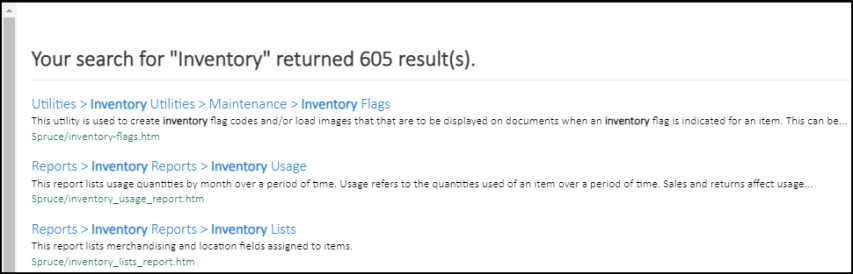
Hmmm... that is a lot of topics to go through.
When you enter two or more words, the Help System looks through all the topics to find the topics that include those words you enter, in this case the word Spruce and the word eCommerce.

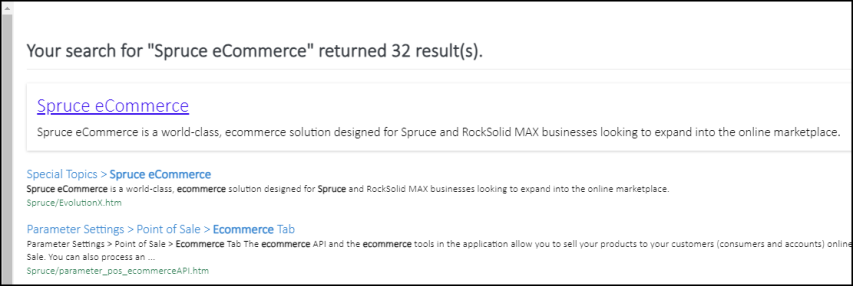
Better... but if you are really only interested in topics that are specifically related to Spruce eCommerce, you can use quotes to narrow down your results:
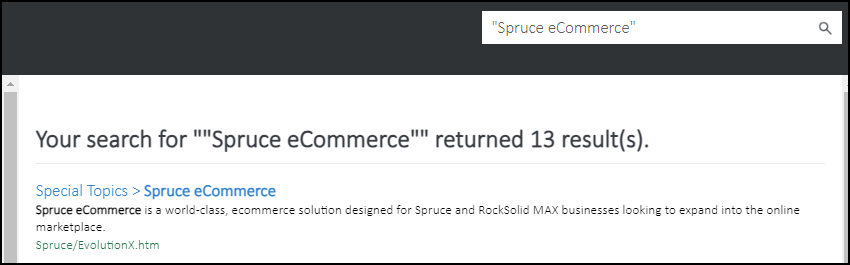
Well, that is great, but what if you want to find the setup instructions for Spruce eCommerce? Try this:
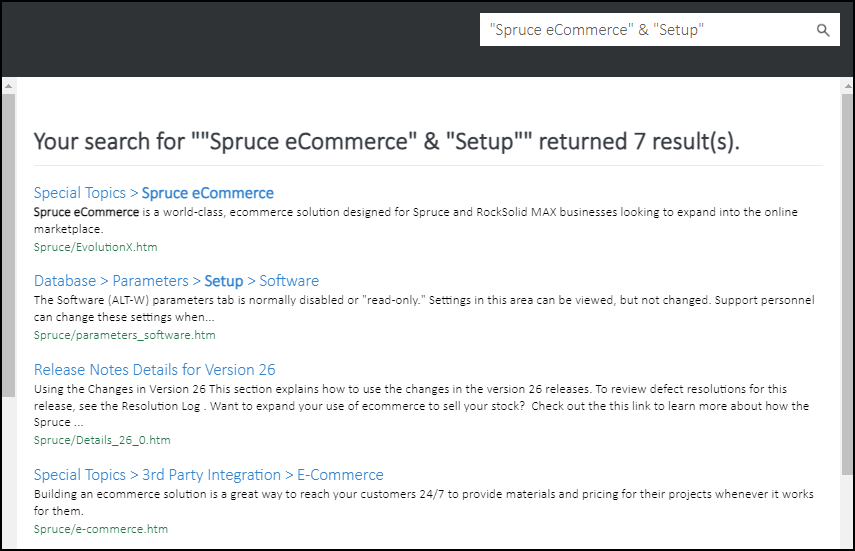
Ok, we will work on doing a better job of breaking these topics out so you can find what you are looking for with fewer results. But these tools can help you narrow down the topics that contain the information you need quicker.
But, what if you need to find a particular form (screen) in the application? We recommend you use the Global Find instructions below. If you are searching for a specific parameter, try these Parameter Search instructions.
Finding a Form Using Global Find
See: Find in the App.