Point of Sale Documents > PS Installed Sale
The Installed Sales feature provides a way for companies to manage installation jobs and monitor profitability. Installed Sales involve at least one customer order. The Open tickets transaction is used for removing inventory used by an installation. Payables can be use for third-party billing or if your company provides the installation labor, you can record labor and other expenses.
Document Search Options
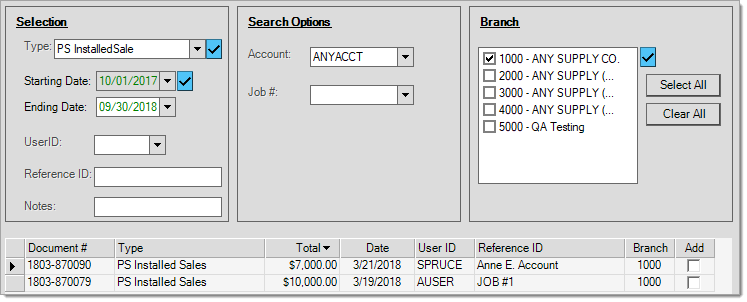
You can search for PS Installed Sale type documents by Account and Job #. You can also specify one or more branches (when applicable) and use any of the standard selection criteria that includes date ranges, user ID, reference ID, and notes. Most search and selection criteria may be used in combination and most fields support the use of the % wildcard character.
Installed Sale Styles
There are currently three styles for the PS Installed Sale document:
Customer
You can provide this document style to the customer as it includes billing information, any payments made, and a list of the materials involved. A signature line is also provided.
Store
This document style is intended for your company's useonly. It includes cost and profit analysis information for the installation and remains available even after the installation contract has been marked "completed." Materials and sales tax are also listed for reference.
Contract
This style is intended for the customer and includes billing information (totals, payments, etc.) and includes third-party expenses, but does not include details regarding the materials used. A signature line is provided.