Training Portal > Training Videos
We are excited to announce that all RockSolid MAX
This portal is now your primary destination to
Registering for the Training Portal
Before you can sign in, you must register to establish your credentials in the Training Portal:
1. Go the Training Portal Login Page.
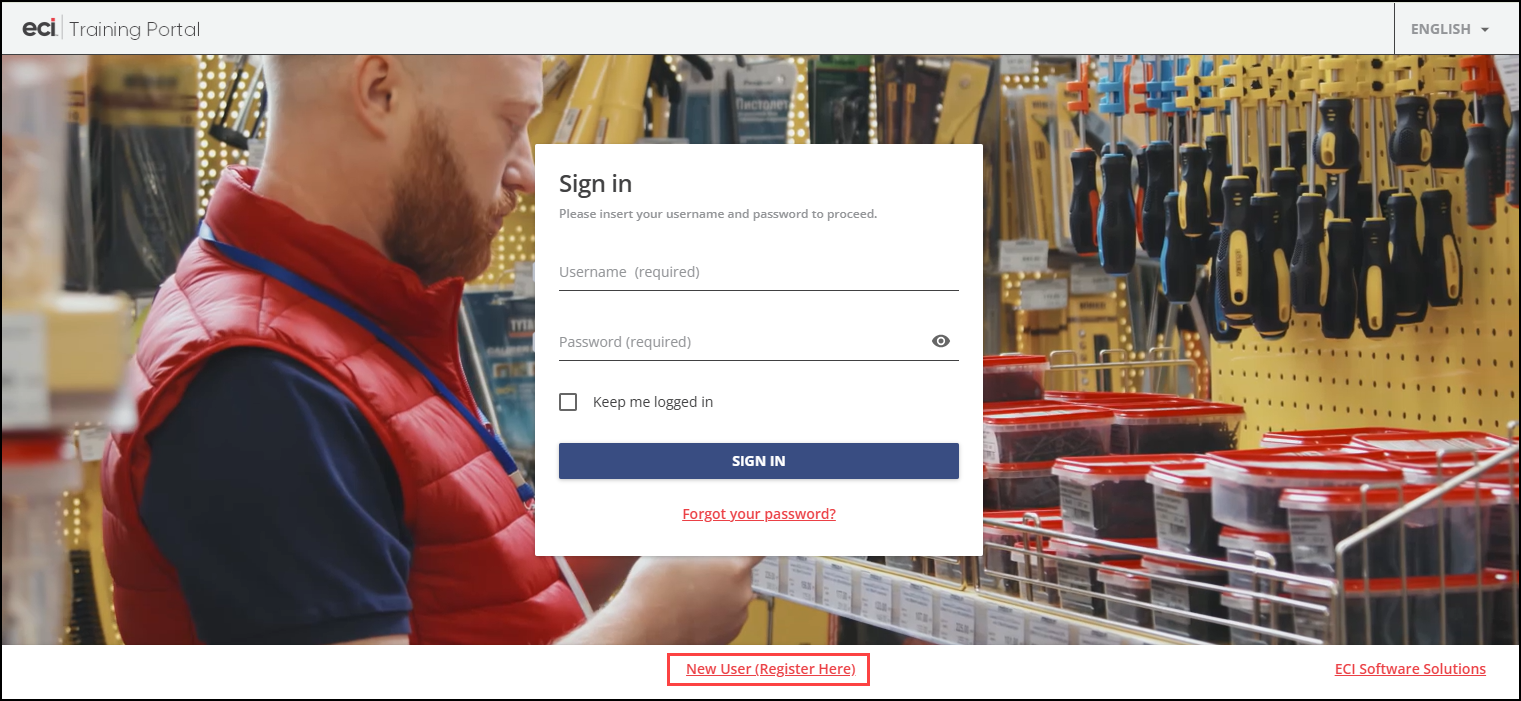
2. Click the New User (Register Here) link to display the Training Portal Registration form. Include the following information in your this form:
-
First Name and Last Name
-
Email Address (each registrant must have a unique email address)
-
Username (same as the email address)
-
Account Number (NetSuite ID)
Note: You can leave this field blank if you do not know this ID. -
Company Name (Account Name)
-
Product your Company Uses (Spruce or RockSolid MAX)
3. When you complete these entries, choose Submit.
After you complete your registration, you will receive a welcome email containing your log in credentials. Please allow a full business day for ECI to compete this process.
We will add additional instructions for accessing training materials to this page shortly.
Accessing the Training Portal Resources
When you access the Training Portal, the options you see will depend upon your product needs.

Accessing the eLearning Catalogs
Use the eLearning Catalogs pane to sign up for pre-recorded training videos that teach you to use major features in the application. As you complete these lessons, the My Training pane keeps track of your progress.
To review the catalog of training videos and sign up to access a video:
1. Click the eLearning Catalogs pane to see the application areas that you can choose from.
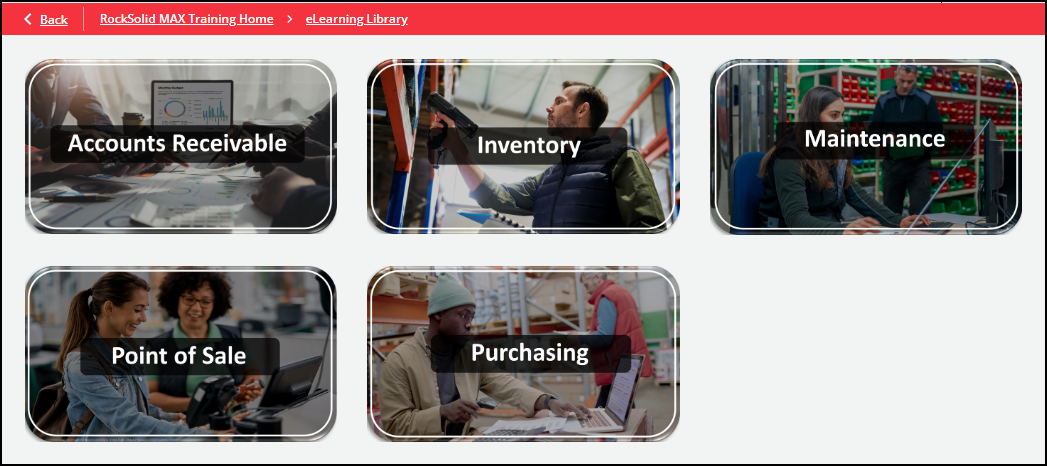
2. Click the application area you want to learn more about. The list of available courses in that area displays:
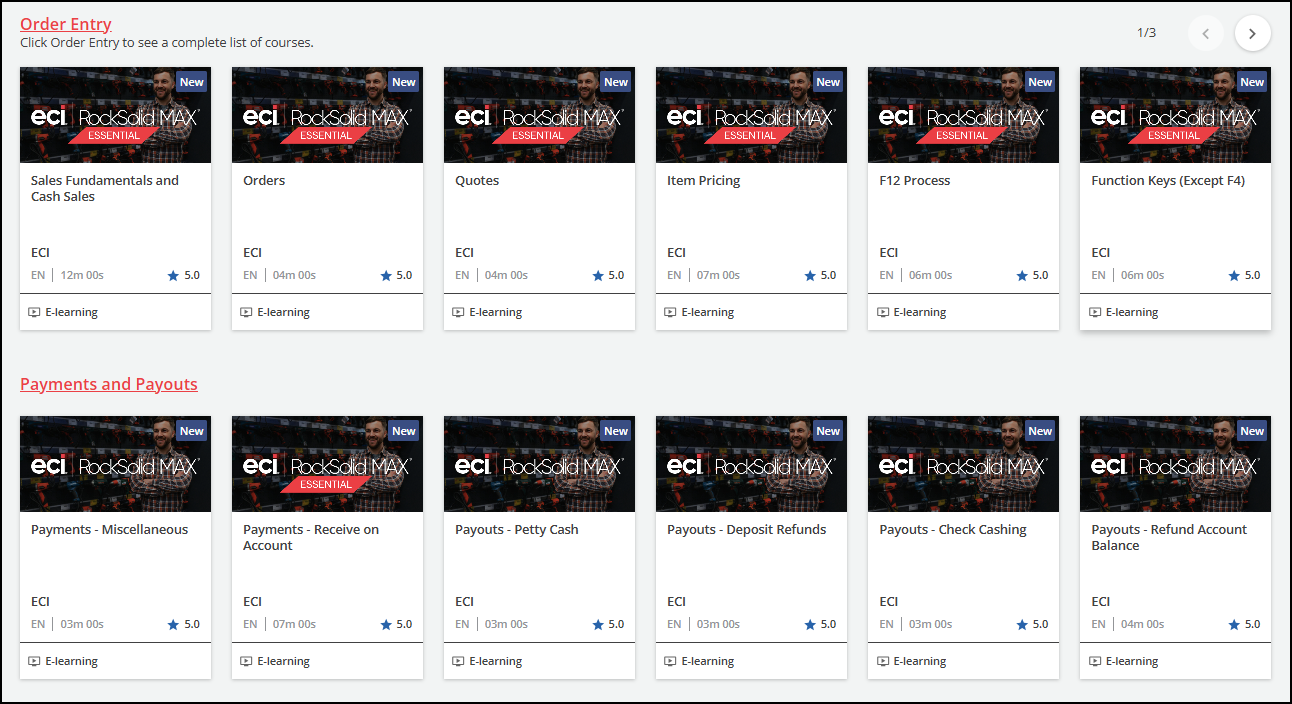
3. Click a video in the list to read the course description. Here, you can also see related training videos and the average completion time for the course.
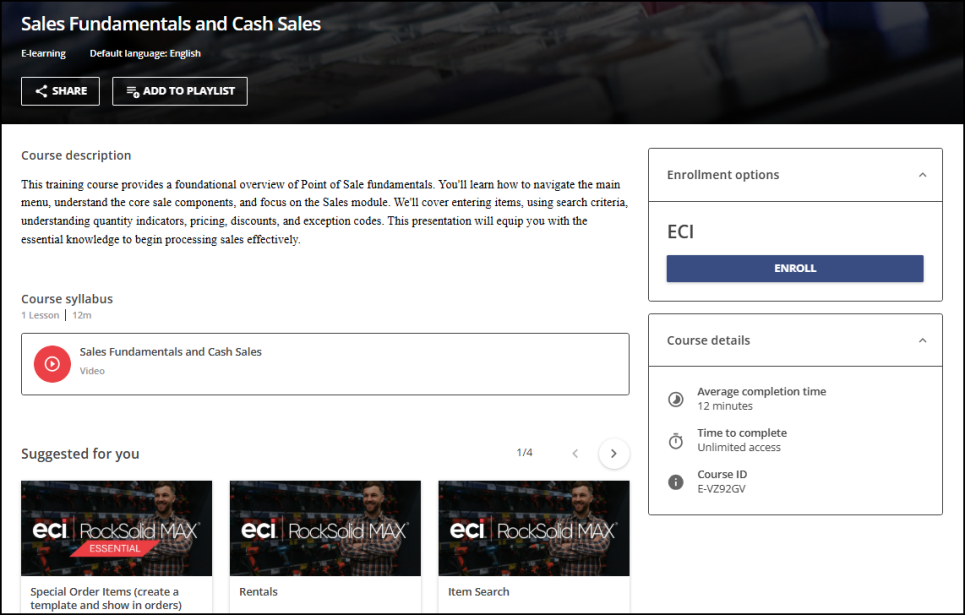
4. Choose Enroll to access the video.
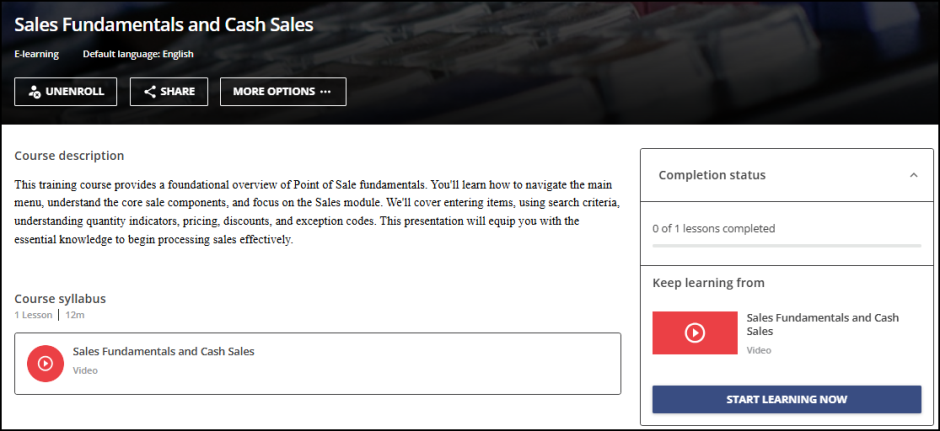
5. Click Start Learning Now to play the video.
You can also click More Options to add this video to a playlist for later.