Maintenance > Utilities > Inventory Usage Entry
ECI Support team members use this Utility to replace current usage and sales history for items in your test or inventory item database. Loading usage and sales using this form manually can be time consuming, so it's probably not feasible for large numbers of items. We can add Inventory Usage history from a spreadsheet upon request (as a billable service only). We added a password prompt to prevent users from overwriting valid usage figures accidentally after go live.
To access this utility, choose Maintenance > Utilities > Inventory Usage Entry.
The Enter Password field displays.
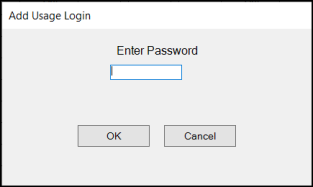
When the password is accepted, the blank Inventory Usage Entry form displays.
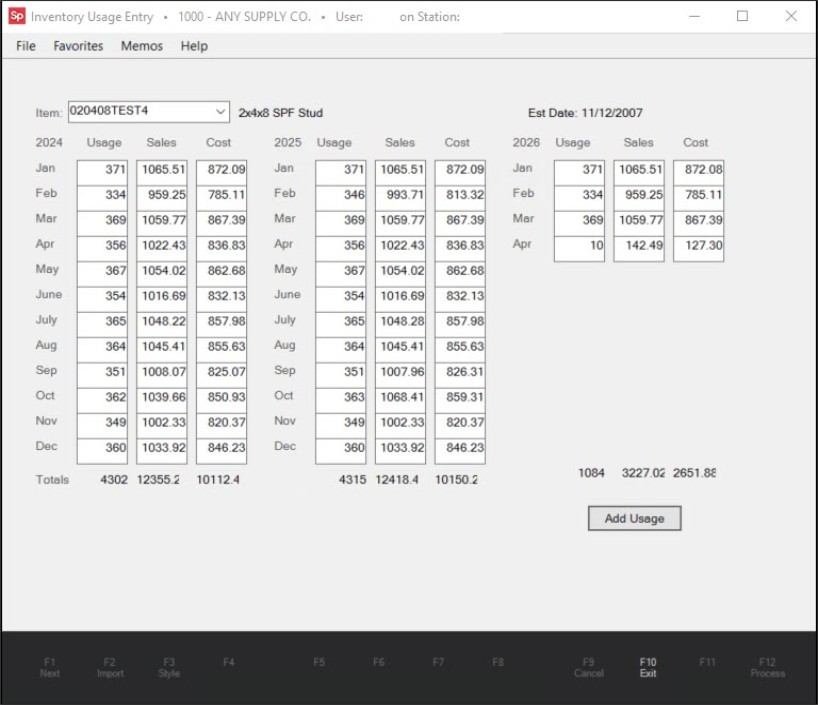
Inventory Usage Entry Utility (Accessible by ECI Support as a Billable Service Only)
From the Item list, we choose the item ID you want to change these settings for.
In the Usage field, we enter the item quantities and in the Sales and Cost fields we enter the amounts you provide in the local currency. The totals accumulate at the bottom of each year's columns.
After all the entries are complete, we click the Add Usage button to update the item's database record.
It's important to remember that this process overwrites the item's existing usage figures and amounts in the database with the new values we enter here, even if the fields are blank. If you want to keep some of the values the same, you must supply them when you give us the data.