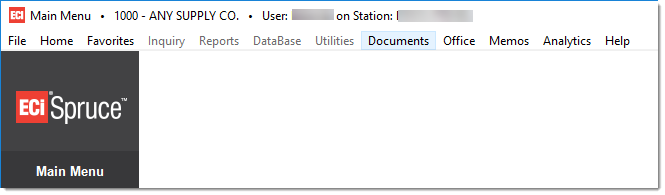
Documents
The Documents (ALT-D) option on the toolbar opens the Documents selection form and is available from every application area including the main menu.
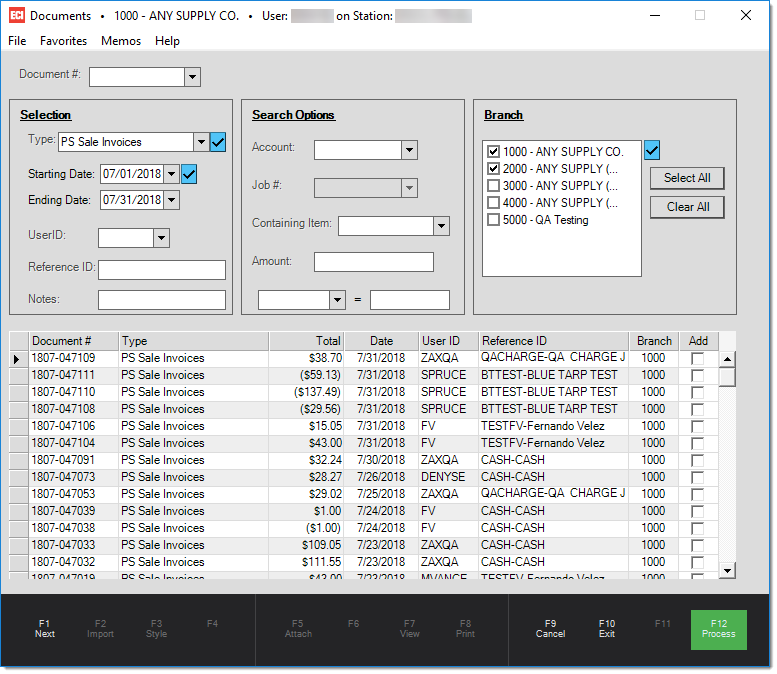
Once open, the Documents form used for listing, searching, and selecting documents for viewing (using the Document Viewer). All document types may be accessed using this same form (everything from Point of Sale invoices to customer statements). There are over 30 different types of documents and many documents have alternative styles that may be used for changing the print format of the document. Note: reports (such as financial statements, etc.) are not considered documents and cannot be accessed from this form.
Documents may be printed during processing, but even if they aren't printed, the application still creates these documents for future reference. Documents display in the Document Viewer, a separate form window specifically designed for viewing documents and links. You also use the Document Viewer to preview reports.
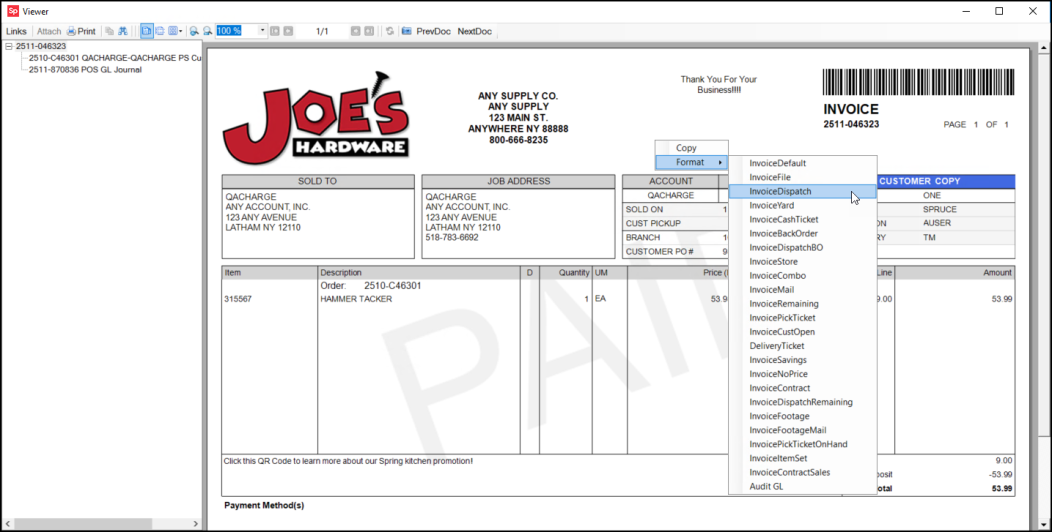
Some documents offer a variety of styles, these formats change the appearance and information displayed for a given document. Right-click the document to display the context menu and choose Format to display the list of document styles that are available for the selected document.
Document Linkage
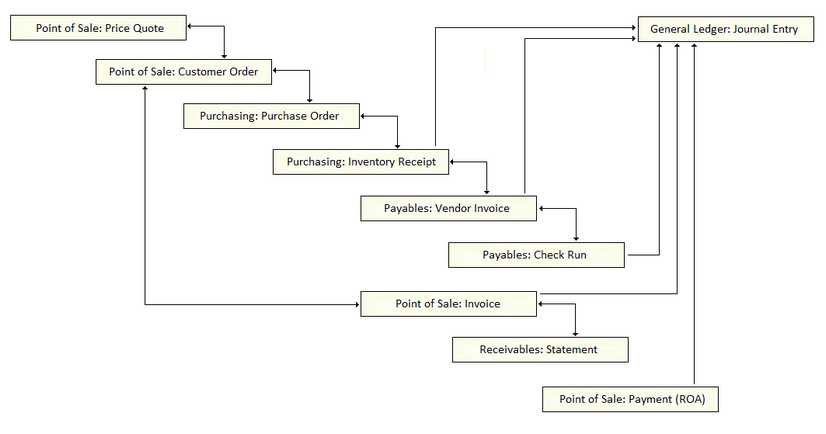
Links between related documents are automatically generated. For example, a customer's order may link to a purchase order that links to a receipt document
In the illustration below, bidirectional links are displayed with lines where both ends are arrows. "One way" links have an arrow at one end only. Multiple links can exist for any given document, but only the direct links are displayed between documents.
For example, a purchase order can link to a customer order and to an inventory receipt directly; however, the inventory receipt would not link directly to the customer order because they are only related in a secondary way.